Getting Started
ShiftPilot is a real-time workforce scheduling platform for clinics — staff scheduling, credential-gated assignment, coverage assurance, on-call management, time tracking, and full audit history, with self-service tools for staff and oversight tools for admins.
This page covers what the system is made of, how to run it locally, how it's deployed, and how login/roles work. Every other page in this manual assumes you've read this one.
The five principles behind the design
- Real-time and synchronized. Any change (a swap approval, a call-off, an availability edit) is reflected immediately everywhere it matters — the schedule grid, personal calendars, the dashboard.
- Eligibility is enforced, not assumed. A person can only be scheduled into a role they're credentialed and competent for. Overriding that is possible but never silent — it's tracked and alerted.
- The ideal is always visible. Every station/service carries a target staffing level, and the gap between target and actual is a first-class, always-visible thing — not something you discover later.
- Everything is attributable. Every meaningful mutation records who, what, when, before-value, after-value, and (where relevant) why.
- Web + mobile parity for review. Building schedules is desktop-first; reviewing, approving, and auditing work equally well on a phone.
How the pieces fit together
Two engines sit underneath almost everything in the product, and it's worth understanding them before anything else:
- The eligibility engine (
src/lib/eligibility.ts) answers one question: is this staff member allowed to be placed into this role, at this station, on this date? It checks three things — active, non-expired competencies matching what the role requires; the staff member's role type matching what's allowed; and the station being one of their qualified locations. Every module that assigns people to something (the schedule grid, on-call, swaps) calls into this same engine, so eligibility answers never drift between modules. - The coverage engine (
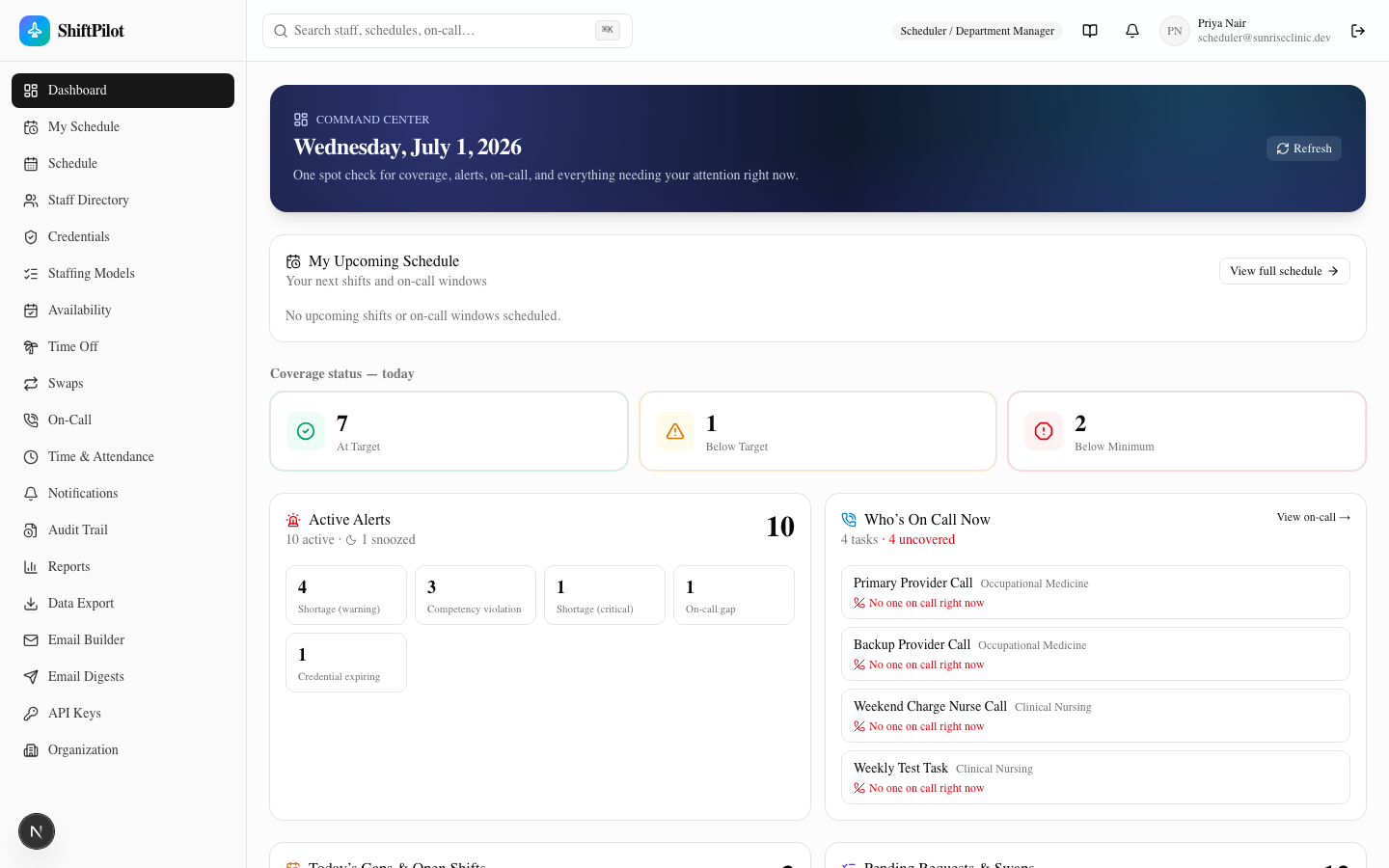
src/lib/coverage.ts) answers the second question: for this station/service/time window, how does the actual assigned headcount compare to the staffing model's target and minimum? This powers the shortage banner on the schedule grid, the dashboard's coverage tiles, and the clinic-snapshot email.
Everything else builds on top of those two answers, and is tied together by two more cross-cutting pieces:
- The audit trail (
src/lib/audit.ts) — every mutation across every module writes one audit entry through a single shared function, so the audit log is complete by construction rather than by every module remembering to log itself. - The notification pipeline (
src/lib/notify.ts) — the same events that get audited can also fan out to anyone subscribed to that event type/scope, across email, in-app, and (simulated, see below) push/SMS.
See Scheduling Grid & Coverage and Staff, Credentials & Organization for how these two engines actually show up in the UI.
Stack
- Next.js 16 (App Router, Turbopack), React 19, TypeScript
- Prisma 7 with the
@prisma/adapter-mariadbdriver adapter, against MySQL 8 - Tailwind CSS 4 + shadcn/ui components
- jose (JWT sessions) + bcryptjs (password hashing) for auth
- @dnd-kit for the drag-and-drop schedule grid
- recharts for report charts
- ics / node-ical for calendar export/import
- nodemailer for email (falls back to a simulated/logged send when no SMTP is configured — see Email, Calendar & API)
Running it locally
git clone https://github.com/wickedfool/shiftpilot.git
cd shiftpilot
docker compose up -d          # starts a dedicated MySQL 8 container on localhost:3307
npm install
npx prisma migrate dev        # applies the full schema
npx prisma db seed            # seeds a full sample clinic (see below)
npm run dev                   # http://localhost:3005
docker-compose.yml runs MySQL in its own container so it's isolated from anything else on your machine and
survives a reboot (the whole point of using a real database instead of something in-memory). The .env file
holds DATABASE_URL and JWT_SECRET — copy .env.example if you're starting fresh.
The seed data
prisma/seed.ts builds a complete fictional clinic — Sunrise Occupational Health Clinic — from scratch every
time it runs (it resets the database first, so it's safe to re-run whenever you want a clean slate):
- Full org hierarchy: one facility, two departments, eight stations, eight services
- A role taxonomy across all five role groups, an eleven-item competency catalog
- 63 staff members with realistic competency coverage — including deliberate gaps and a few expired/expiring credentials, so the credential-gating features have something real to enforce
- A staffing model with ten coverage requirements
- Six weeks of assignments (one past, one current, four forward) with intentional shortages, overstaffed windows, and a few forced competency-override exceptions
- On-call rotations (including a deliberate coverage gap), availability records, time-off requests, swap requests, time punches, attendance events, alerts, audit entries, and notifications
Because the demo/dev-login accounts (see below) would otherwise have an empty personal schedule, the seed script also gives the Provider/Staff, Charge/Lead, and On-Call Coordinator dev accounts a real past-and-upcoming schedule so My Schedule has something to show immediately.
Signing in
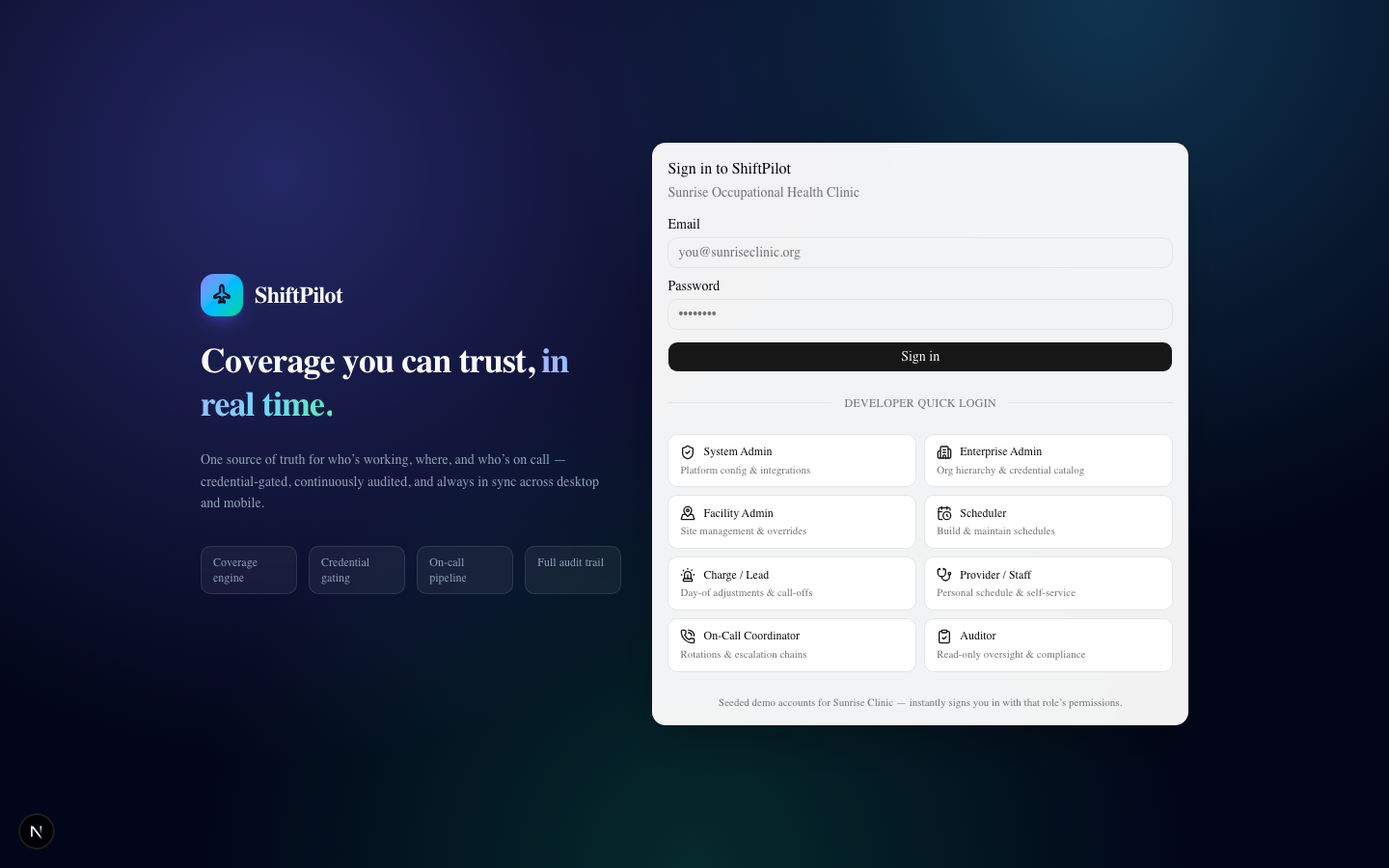
The login page has two ways in:
- Email + password, for real accounts.
- Developer quick login — one click per role, instantly signs you in as that role's seeded demo account.
This only works when
NODE_ENV !== "production", or whenALLOW_DEV_LOGIN=trueis set explicitly — so it's safe to leave the code in place without worrying about it being reachable on a real deployment unless someone deliberately turns it on.
The eight roles
Permissions are role-based; every account has exactly one systemRole. The dev-login password for every seeded
account is ShiftPilot123!.
| Role | What they can do |
|---|---|
| System Admin | Full platform configuration |
| Enterprise Admin | Cross-facility oversight, org hierarchy, credential catalog |
| Facility Admin | Site-level management, staffing models, approve overrides |
| Scheduler | Build/edit schedules, assign staff, approve requests & swaps |
| Charge / Lead | Day-of adjustments — call-offs, reopening shifts |
| Provider / Staff | Personal schedule, availability, time-off, swaps, clock in/out |
| On-Call Coordinator | Build/publish on-call, escalation chains, on-call swaps |
| Auditor | Read-only — schedules, audit log, reports |
Two permissions are granted independently of role and tracked separately: canOverrideCompetency (force an
assignment past a missing credential — always audited) and canOverrideOvertime (approve a schedule that pushes
someone past the overtime threshold).
Capabilities — fine-grained grants on top of roles
Some newer, sensitive features aren't gated by role at all but by capabilities: named, per-user (and
optionally per-facility) grants managed at Access & Scopes. This lets you, say, let a supervisor
view compensation without changing their role, or grant one person the ability to override leave limits at a
single facility. Capabilities in use today include VIEW/EDIT_COMPENSATION, VIEW_LABOR_COST_REPORTS,
MANAGE_LABOR_RULES, MANAGE_ACCRUAL_POLICIES, VIEW/MANAGE_PROTECTED_LEAVE, MANAGE_LEAVE_RULES, and
OVERRIDE_LEAVE_LIMITS. Effective access = role default ± per-user grants/revocations, resolved fresh on every
request. See Compensation & Labor Rules and Leave Governance.
Deployment
The production instance runs on a shared Hetzner VPS behind nginx + Let's Encrypt, managed by PM2, with DNS on
Cloudflare (shiftpilot.builtincase.com). The pattern:
# on the server, inside /opt/shiftpilot
git pull
npm install
npx prisma generate
npx prisma migrate deploy     # never `migrate dev` against production
npm run build
pm2 restart shiftpilot --update-env
- MySQL runs in its own Docker container on the server (
shiftpilot-mysql), bound to127.0.0.1:3306only — never exposed externally. - nginx reverse-proxies
shiftpilot.builtincase.comto the app's local port, with a shared multi-domain Let's Encrypt certificate covering it alongside the server's other sites. - The weekly email digest cron (see Email, Calendar & API) is a system crontab entry that hits a secret-protected endpoint hourly — not a long-running process, so it survives app restarts without any extra supervision.
ALLOW_DEV_LOGINis left enabled in this particular deployment so the team can demo/test every role instantly; turn it off (ALLOW_DEV_LOGIN=falseor just running withNODE_ENV=productionand no override) for any deployment where that shouldn't be publicly reachable.
Where to go next
- Building and reviewing schedules → Scheduling Grid & Coverage
- Setting up staff, competencies, and the org tree → Staff, Credentials & Organization
- Everything staff do for themselves → Availability, Time Off & Swaps
- Keeping on-call accurate → On-Call & Time Tracking
- Reporting, audit, and pulling data out → Notifications, Audit & Reports
- Email digests, calendar sync, and the public API → Email, Calendar & API