Email, Calendar & API
ShiftPilot has three ways to get schedule and coverage information out of the app, into a channel you already
look at: a weekly email digest, a subscribable calendar feed, and a read-only REST API. This page covers all
three — the email builder and its token-driven templates, calendar export/import on My Schedule, and the API
keys / /api/v1/* endpoints on the API Keys page.
Email Builder & Digests
Two pages work together here: Email Builder (/email-builder), where admins script what an email looks
like, and Email Subscriptions (/email-subscriptions), where any staff member chooses which of those
templates to receive and on what cadence.
The split-pane template builder
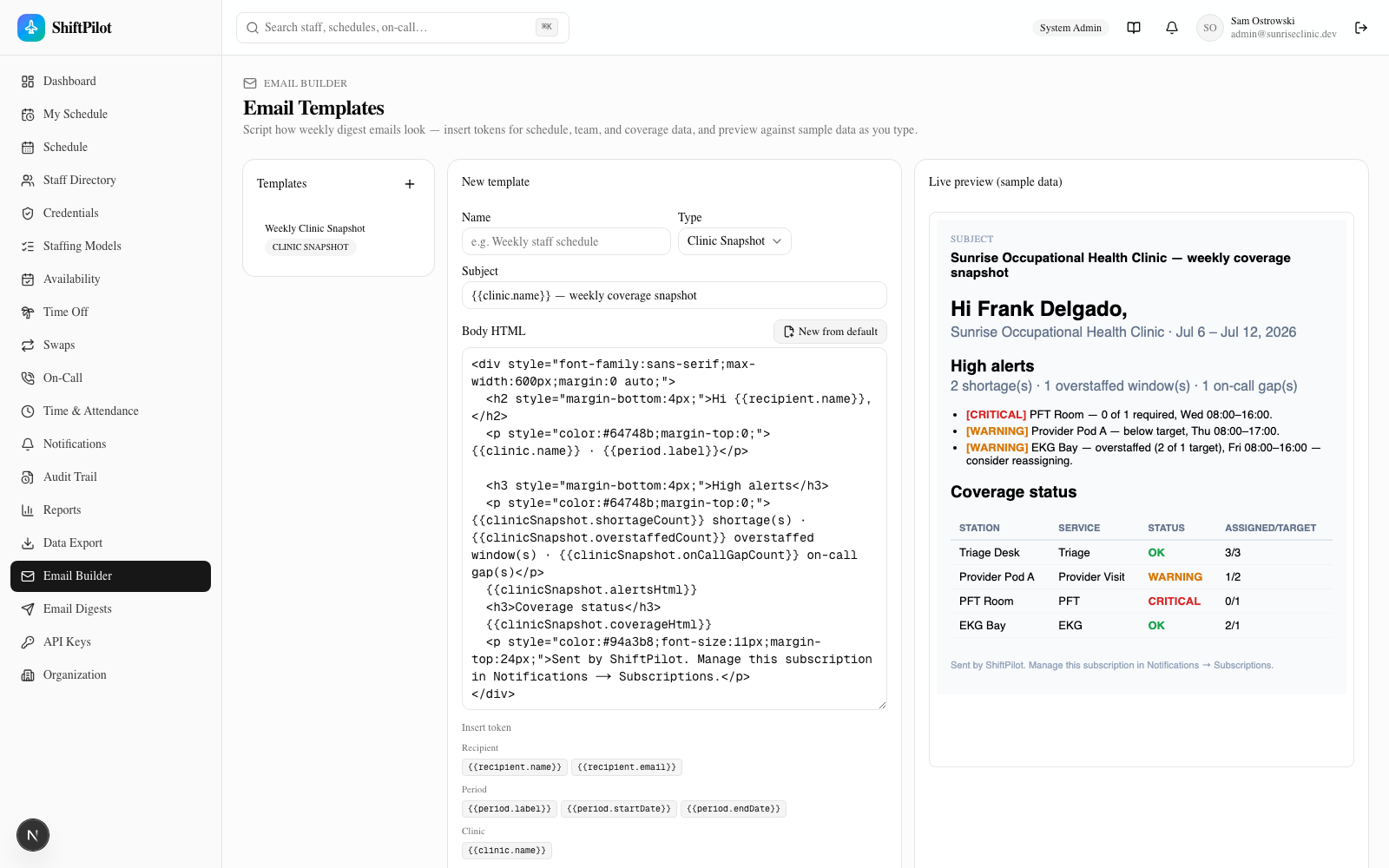
The builder is a three-pane layout: your saved templates on the left, an HTML editor in the middle, and a live
preview on the right. You write plain HTML in the body field and drop in {{token}} placeholders wherever you
want dynamic content — the preview re-renders about 300ms after you stop typing, against realistic sample
data (no database access, so it always has something to show). Click New from default to reset the
subject/body to the built-in starting template for whichever type is selected — a fast way to see a working
example before you customize it.
Only System/Enterprise/Facility admins can create or edit templates; everyone else can browse the builder read-only and manage their own subscriptions.
Template types
| Type | Who it's for | What it shows |
|---|---|---|
| Personal Weekly Schedule | Any staff member | Their own upcoming shifts and on-call windows for the period |
| Supervisor Weekly Schedule | Schedulers, Charge/Lead, Facility Admins | A team/facility-wide schedule view plus an open-shifts count |
| Clinic Snapshot | Facility/Enterprise/System Admins | Coverage status per station/service, plus a high alerts list of shortages and overstaffed windows |
Clinic Snapshot is the one to reach for if the goal is "email me when there's a shortage or overstaffing" —
its {{clinicSnapshot.alertsHtml}} token renders exactly that list (severity-tagged, worst first), and
{{clinicSnapshot.coverageHtml}} renders the full assigned-vs-target table underneath it. A fourth type,
Custom, exists for freeform emails that mix tokens from every category.
The token catalog
Every token substitutes a value from EmailRenderData (src/lib/email-render.ts). Most are plain scalars
(a name, a count, a date), but a few — noted below — expand into a pre-built HTML fragment (a table or a
list) rather than a single value, so you don't have to hand-build a schedule table out of scalar tokens. Which
tokens are offered in the builder's "Insert token" panel depends on the template type you have selected.
| Category | Token | What it renders |
|---|---|---|
| Recipient | {{recipient.name}} | Recipient's name |
| Recipient | {{recipient.email}} | Recipient's email |
| Period | {{period.label}} | "Week of…" label, e.g. Jul 6 – Jul 12, 2026 |
| Period | {{period.startDate}} | Period start date |
| Period | {{period.endDate}} | Period end date |
| Clinic | {{clinic.name}} | Clinic / facility name |
| My Schedule | {{schedule.upcomingHtml}} | Table — the recipient's upcoming shifts |
| My Schedule | {{schedule.shiftCount}} | Shift count this period |
| My Schedule | {{schedule.onCallCount}} | On-call window count this period |
| Team Schedule | {{team.scheduleHtml}} | Table — the team/facility schedule |
| Team Schedule | {{team.staffCount}} | Staff scheduled this period |
| Team Schedule | {{team.openShiftsCount}} | Open shifts this period |
| Clinic Snapshot | {{clinicSnapshot.coverageHtml}} | Table — coverage status per station/service |
| Clinic Snapshot | {{clinicSnapshot.alertsHtml}} | List — high alerts (shortages & overstaffing, worst first) |
| Clinic Snapshot | {{clinicSnapshot.shortageCount}} | Shortage count |
| Clinic Snapshot | {{clinicSnapshot.overstaffedCount}} | Overstaffed-window count |
| Clinic Snapshot | {{clinicSnapshot.onCallGapCount}} | On-call gap count |
Under the hood, renderTemplate() is a straight regex substitution — {{a.b.c}} resolves to
data.a.b.c, and anything missing renders as an empty string, so a typo'd token just disappears rather than
breaking the email. The same function runs against both the builder's sample data and the real per-recipient
data assembled at send time (src/lib/email-send.ts's assembleRealData()), so what you preview is what gets
sent.
Subscriptions and delivery
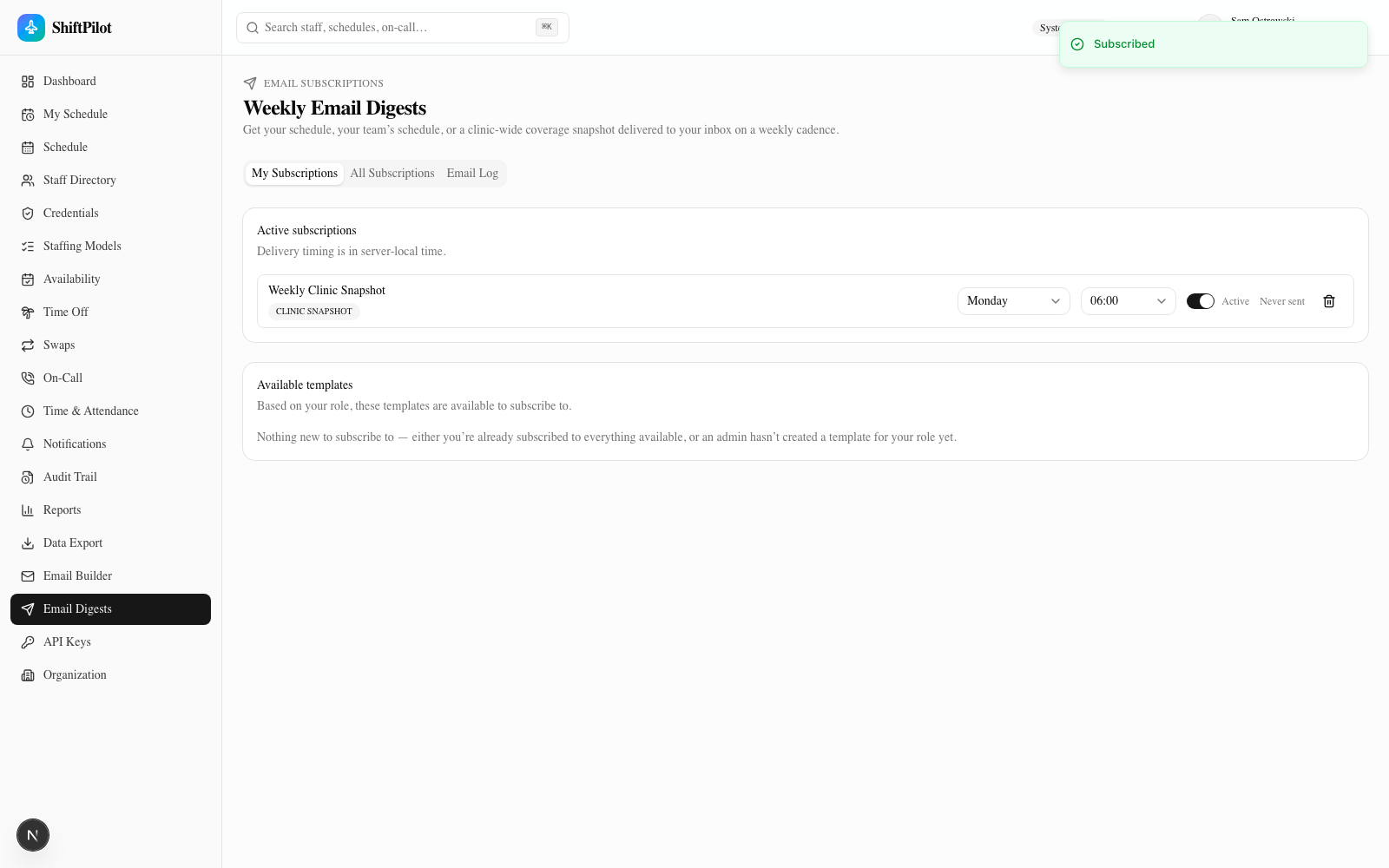
On /email-subscriptions, pick a template from Available templates (filtered to what your role is allowed
to subscribe to — e.g. only supervisors see Supervisor/Clinic Snapshot templates) and click Subscribe. Each
active subscription gets its own day-of-week and hour-of-day selector (delivery time is server-local), plus an
Active/Paused toggle and a last sent timestamp.
Actual sending doesn't happen from the browser — it's driven by an hourly cron job hitting
POST /api/cron/run-email-digests (see Getting Started for how that's wired into the
production crontab). Each run checks every active subscription for a dayOfWeek/hour match against "now"
(with a ~20-hour staleness guard so a cron hiccup near the hour boundary can't double-send), assembles real data
for that recipient, renders their template, and sends it.
A note on the current environment: no SMTP provider is configured here, so sending is simulated — the
send is recorded as one email_simulated line in the server log (masked recipient, mail kind and, for reset and
invite mails, a token-hash fingerprint; never the body or its links) and written to the Email Log with
status SIMULATED, but nothing actually leaves the server. This is intentional and matches the same
simulate-unless-configured convention the rest of the notification pipeline uses. Setting the SMTP_HOST,
SMTP_PORT, SMTP_USER, SMTP_PASS, and SMTP_FROM environment variables switches sendEmail() over to a
real nodemailer transport with no code changes — it's a pure environment-variable flip.
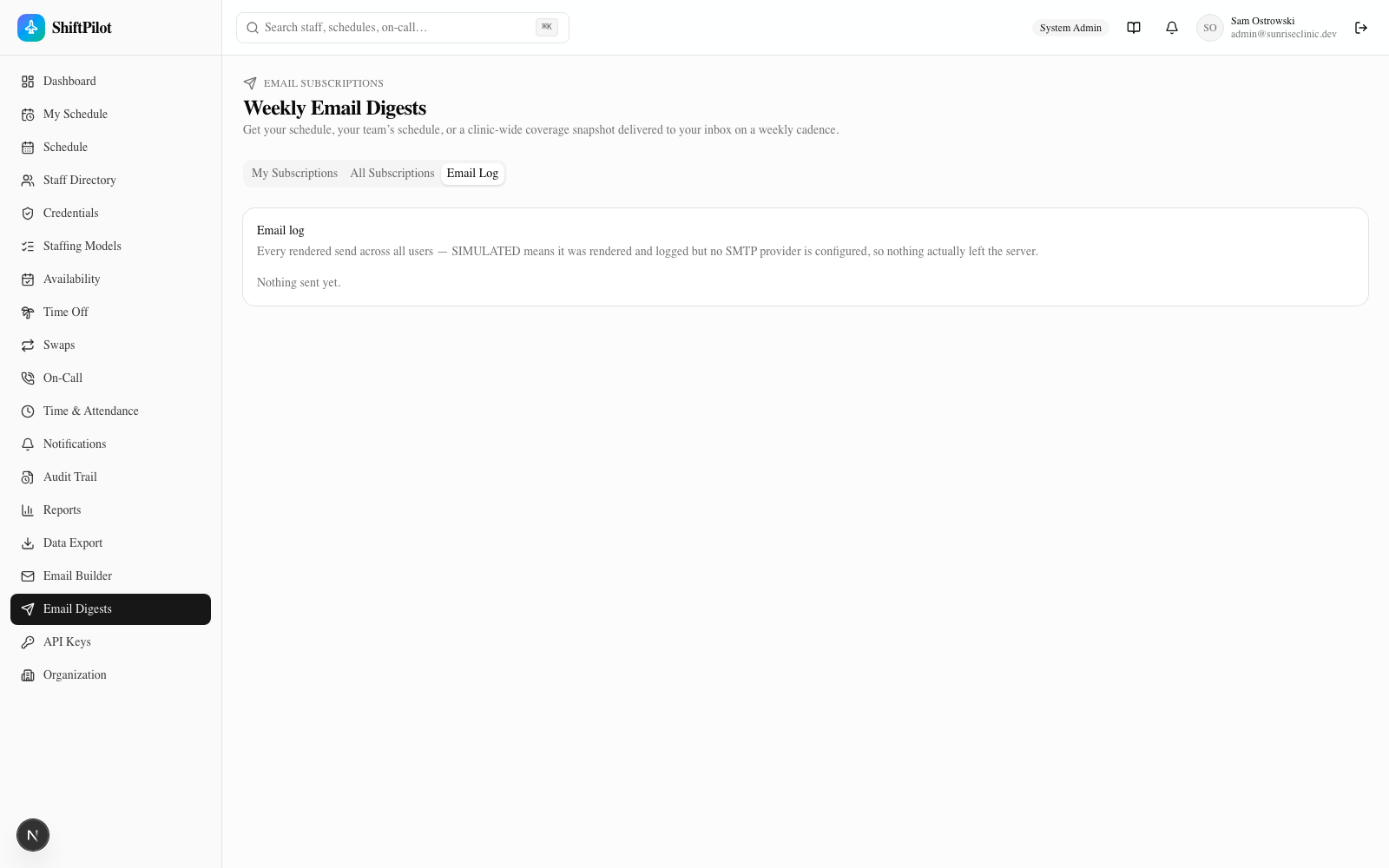
The Email Log tab (same page) is the audit trail for every render — admins see every user's sends, everyone
else sees their own. Each row shows the recipient, subject, status (SENT / SIMULATED / FAILED), and a
timestamp; clicking the eye icon opens the fully rendered HTML body in a sandboxed preview, which is useful for
confirming a template renders correctly against real data without waiting for the next cron tick.
Calendar Sync
Calendar integration lives on My Schedule → Calendar Sync (a personal-schedule feature, so every staff member manages their own). It's two independent, one-directional flows — export and import — not a two-way sync.
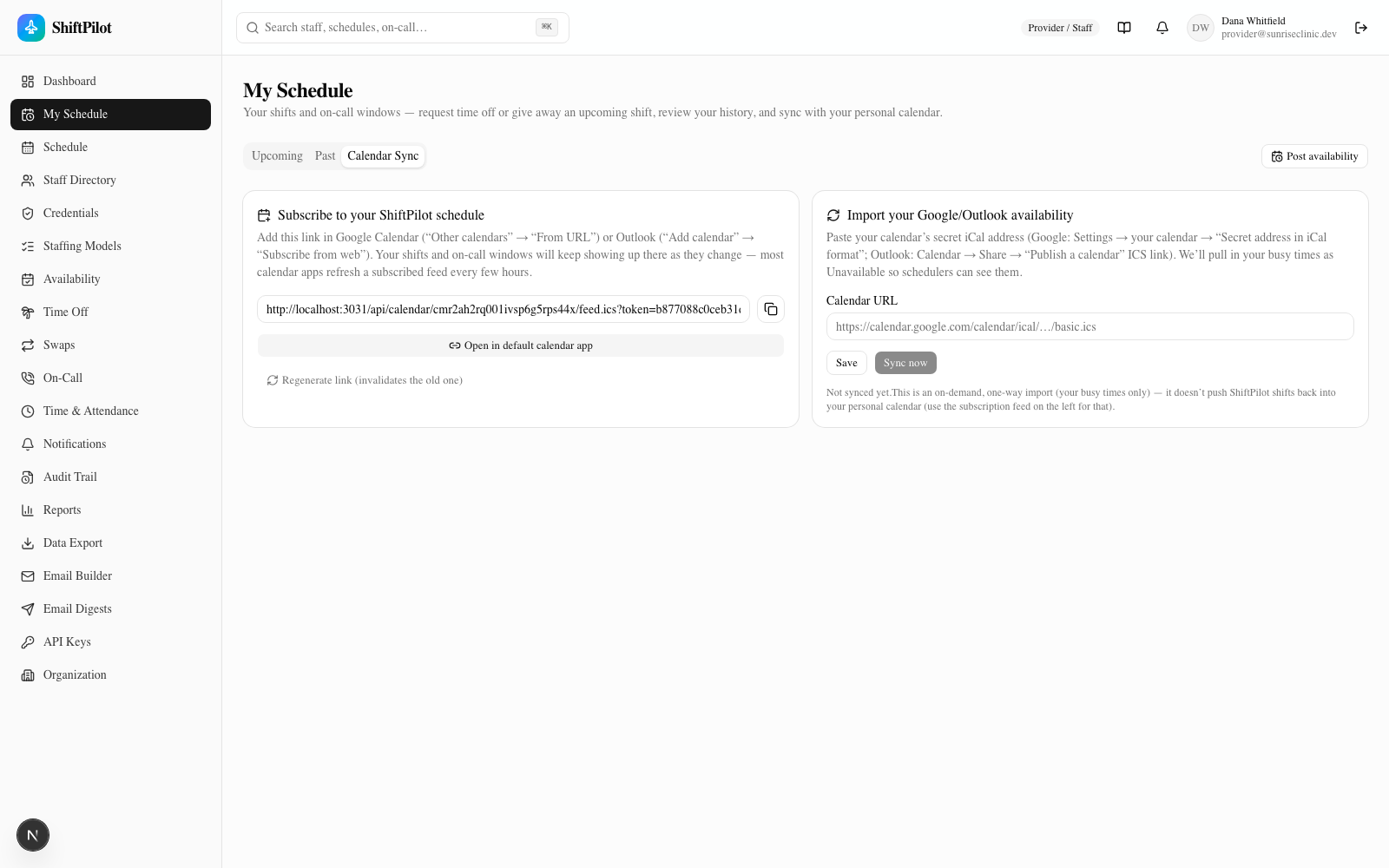
Export: subscribe to your ShiftPilot schedule
The left panel gives you a personal ICS subscription feed URL covering your assignments and on-call windows
(roughly 14 days back to 180 days forward). Add it in Google Calendar ("Other calendars" → "From URL") or
Outlook ("Add calendar" → "Subscribe from web"), or use the Open in default calendar app button for a
webcal:// one-click variant that most calendar apps recognize automatically.
This is a genuine subscription, not a one-time file download: your calendar app re-polls the URL on its own schedule (typically every few hours), so new assignments, swaps, and on-call changes keep showing up there automatically with no further action from you. Regenerate link issues a new token and invalidates the old URL — use it if a link leaks or you just want to force every subscribed app to re-fetch; remember to update the URL in any calendar app you'd already subscribed with.
Import: pull in your personal calendar as busy time
The right panel is the reverse direction: paste your Google or Outlook secret iCal address (Google:
Settings → your calendar → "Secret address in iCal format"; Outlook: Calendar → Share → "Publish a calendar" ICS
link), save it, then click Sync now. ShiftPilot fetches events in the next 90 days and stores them as
UNAVAILABLE availability records, so schedulers can see when you're already busy elsewhere before assigning
you.
This is explicitly a one-way, on-demand pull — triggered only when you click Sync now, not a live push. Nothing you do in ShiftPilot writes back to your Google/Outlook calendar (use the export feed above for that direction), and ShiftPilot doesn't get notified the instant something changes on your external calendar — you have to sync again to pick up new events. A true two-way live sync would require a full OAuth + webhook integration with Google/Outlook and is out of scope for this feature; the on-demand pull covers the common case (let schedulers see your outside commitments) without that complexity.
See Availability, Time Off & Swaps for how those imported UNAVAILABLE
records show up alongside your other availability.
Public API
/api-keys issues Bearer API keys for external systems — a BI tool, an EDW, a payroll export — to pull data out
of ShiftPilot over HTTP. Creating and revoking keys is admin-only (System/Enterprise/Facility Admin); anyone can
read the Documentation tab to see how to use an existing key.
Creating and revoking keys
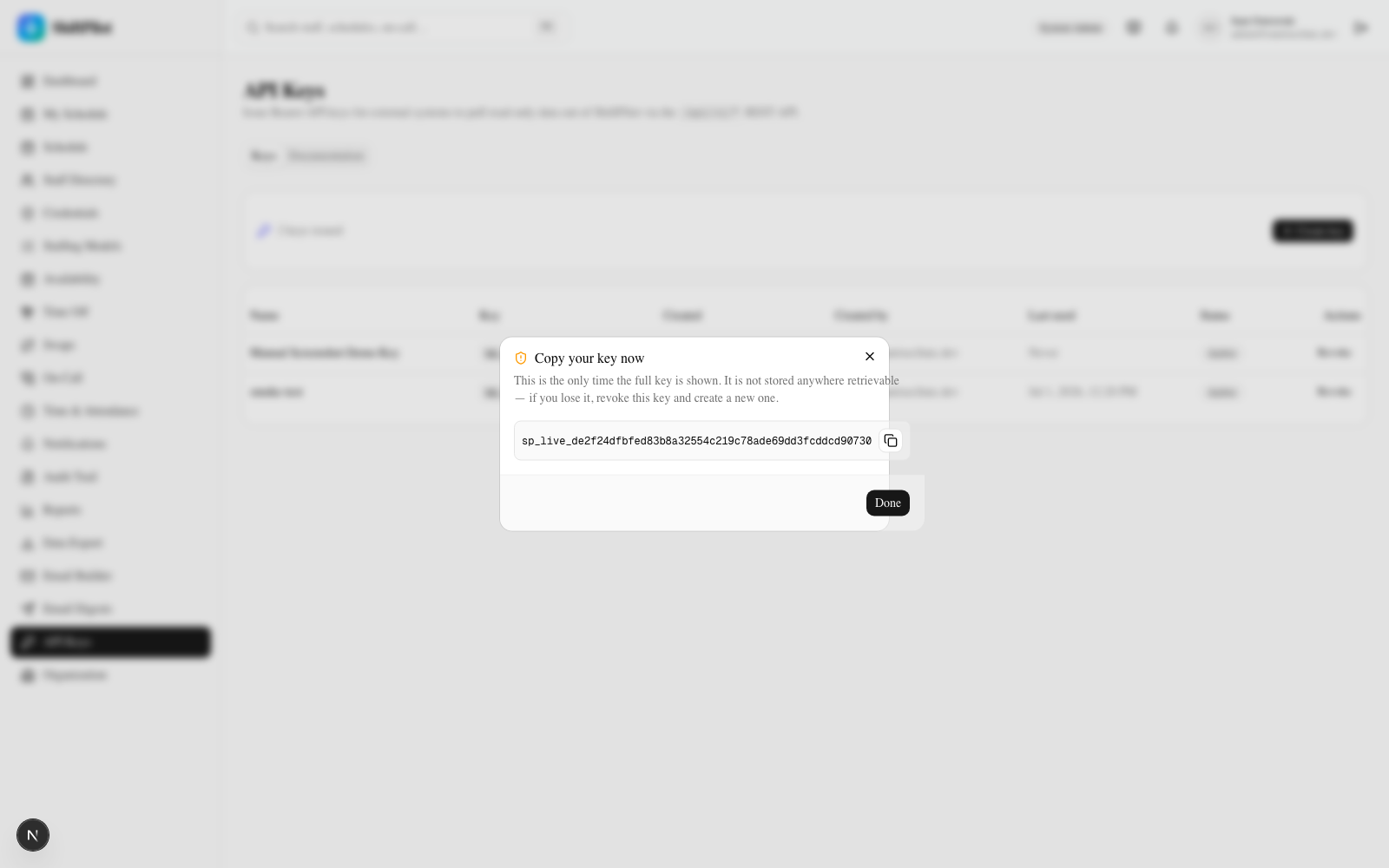
Click Create key, give it a name that identifies the consuming system (e.g. "Payroll export"), and the raw
key — formatted sp_live_<32 hex chars> — is shown exactly once, with a copy button. Only a SHA-256 hash of
the key is stored server-side; if you lose the raw value, there's no way to recover it — revoke that key and
issue a new one. The keys table (below) always shows just the stored prefix (e.g. sp_live_de2f24df…), never the
full key, once you've navigated away.
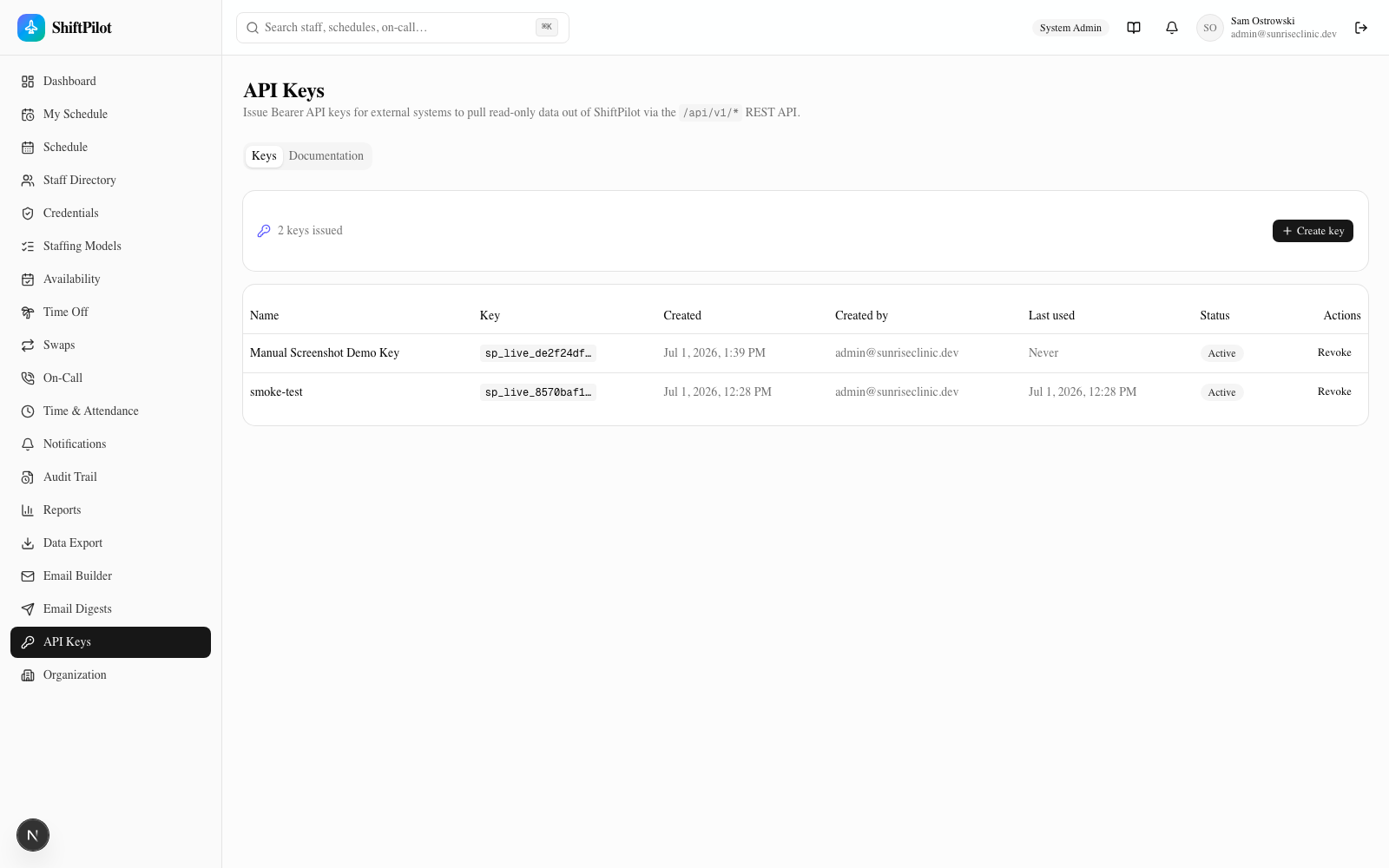
Revoke never hard-deletes a key — it flips it inactive and stamps revokedAt, so the row (and everything it
was used for, via the audit trail) stays visible for history. A revoked key immediately stops authenticating;
authenticateApiKey() rejects anything without active: true and no revokedAt.
Keys are read-only by design — every /api/v1/* route is a GET. There's no way to create, update, or
delete a schedule, staff record, or anything else through this API; it exists purely so external systems can
pull data, never push it.
Endpoints
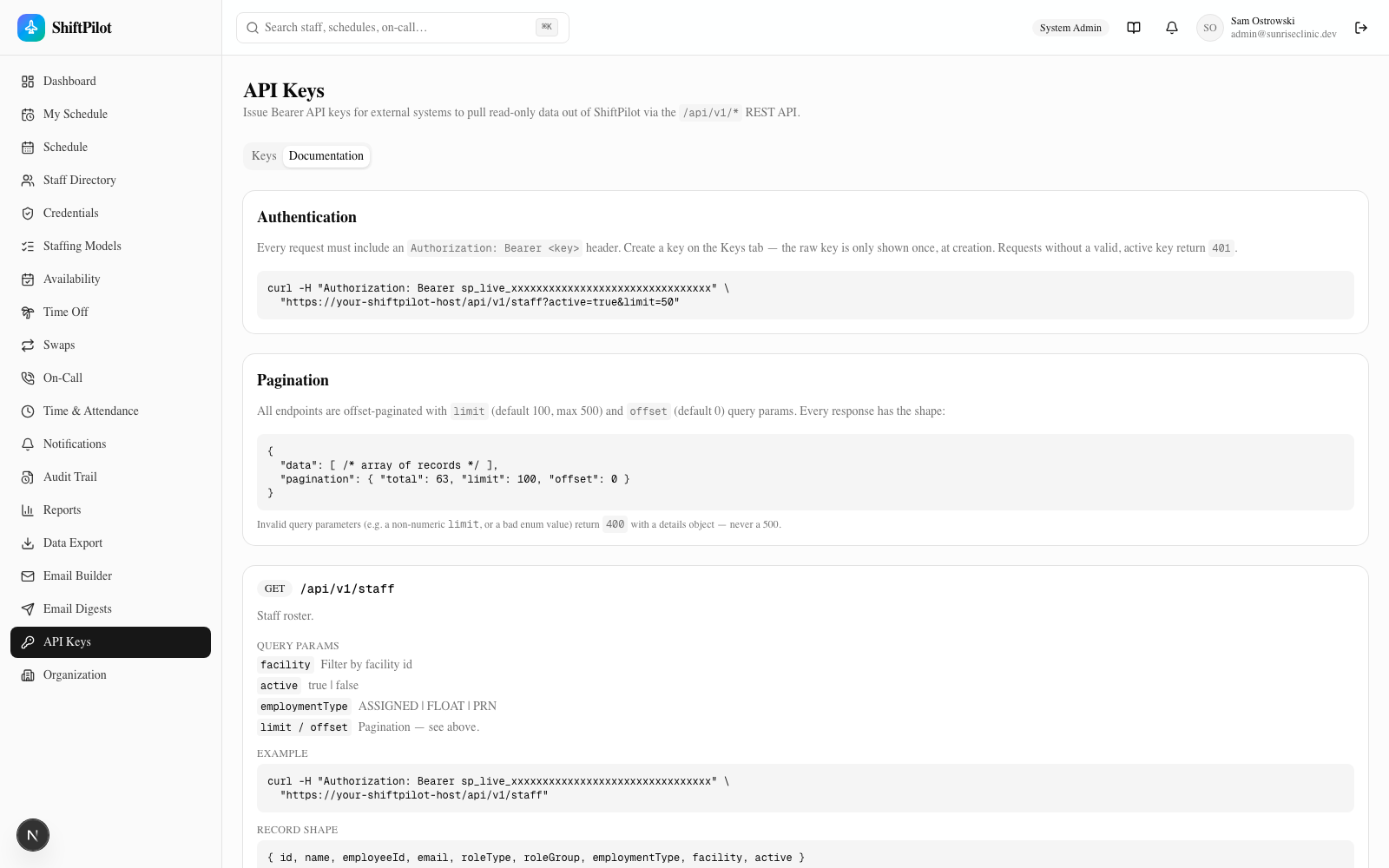
Every request needs Authorization: Bearer <key> — requests without a valid, active key get 401. All
endpoints are offset-paginated (limit, default 100/max 500; offset, default 0) and return
{ data: [...], pagination: { total, limit, offset } }. Invalid query parameters return 400 with a details
object, never a 500.
| Endpoint | Returns | Key filters |
|---|---|---|
GET /api/v1/staff | Staff roster | facility, active, employmentType |
GET /api/v1/assignments | Scheduled shift assignments | start, end, staffId, stationId, status |
GET /api/v1/on-call | On-call assignments | start, end, staffId, tier |
GET /api/v1/time-off | Time-off requests (overlapping the given range) | start, end, staffId, status |
GET /api/v1/availability | Posted availability records | start, end, staffId, type |
GET /api/v1/credentials | Staff competencies / credentials | staffId, status |
GET /api/v1/audit | Audit trail (action metadata only — no before/after value snapshots) | start, end, targetType |
curl -H "Authorization: Bearer sp_live_xxxxxxxxxxxxxxxxxxxxxxxxxxxxxxxx" \
  "https://your-shiftpilot-host/api/v1/staff?active=true&limit=50"
The Documentation tab on /api-keys mirrors this table with the exact query params, a curl example, and the
JSON record shape for each endpoint — it's generated from the same route code, so it won't drift out of sync
with what the API actually returns.
Where to go next
- What the coverage engine flags as a shortage or overstaffed window (the data behind the Clinic Snapshot template) → Scheduling Grid & Coverage
- How imported busy-time availability shows up for schedulers → Availability, Time Off & Swaps
- The audit trail that
/api/v1/auditexposes, and the in-app notification center these digests complement → Notifications, Audit & Reports
Scoped write API
The /api/v1 API is read-only by default, but API keys now carry scopes and an optional expiry. Issue a key with the write scope (and an expiry date) from API Keys, and it can submit data back — currently POST /api/v1/time-off lets an external system (e.g. an HRIS) file a PENDING time-off request for a staff member. Read-only keys are refused with 403; expired keys stop working automatically. The key list shows each key's scope and expiry.
Webhooks
Register an outbound webhook (admin) with a URL and the event types it cares about (or * for all). When a matching event fires — a coverage shortage, a credential issue, a schedule change — ShiftPilot POSTs a JSON payload to your endpoint, signed with an X-ShiftPilot-Signature: sha256=… HMAC so your receiver can verify it's genuine. Each webhook records its last delivery status.
SMS notifications
Alongside in-app and email delivery, notifications can go out over SMS (Twilio). With Twilio credentials configured, a recipient whose subscription uses the SMS channel is texted at their mobile number on file; without credentials, SMS is simulated (logged) exactly like email — so nothing is sent by accident.